 CullApp
For photographers with full SD cards
Cull the whole card
before Lightroom finishes importing.
CullApp opens RAF, CR3, NEF, ARW, DNG and 30+ other formats instantly. Flip through, press C to copy your keepers, and import only the photos worth editing.
14-day free trial · macOS & Windows · One-time purchase, no subscription
Reads RAW files from
No import. No catalog. No waiting.
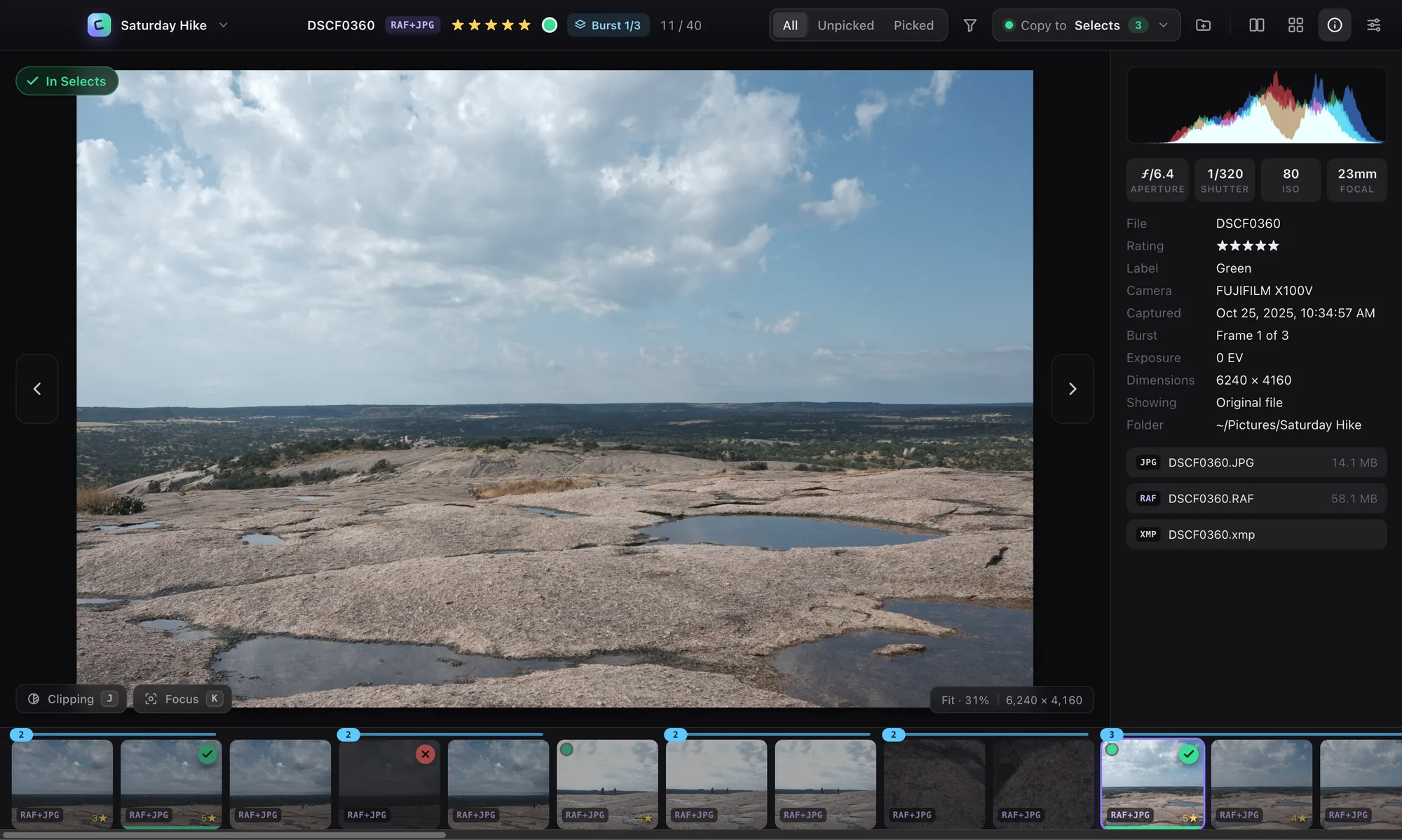
Every RAW file carries a full-size preview made by your camera. CullApp shows it the moment you press an arrow key, so a 60 MB RAF opens in a couple of milliseconds. Zoom to 100% and it swaps in a true full-resolution RAW decode to check critical focus.
- RAW + JPEG pairs are treated as one photo
- Open a folder or SD card, or double-click any file
- HEIF/HIF, TIFF, PSD, SVG, AVIF, WebP and more
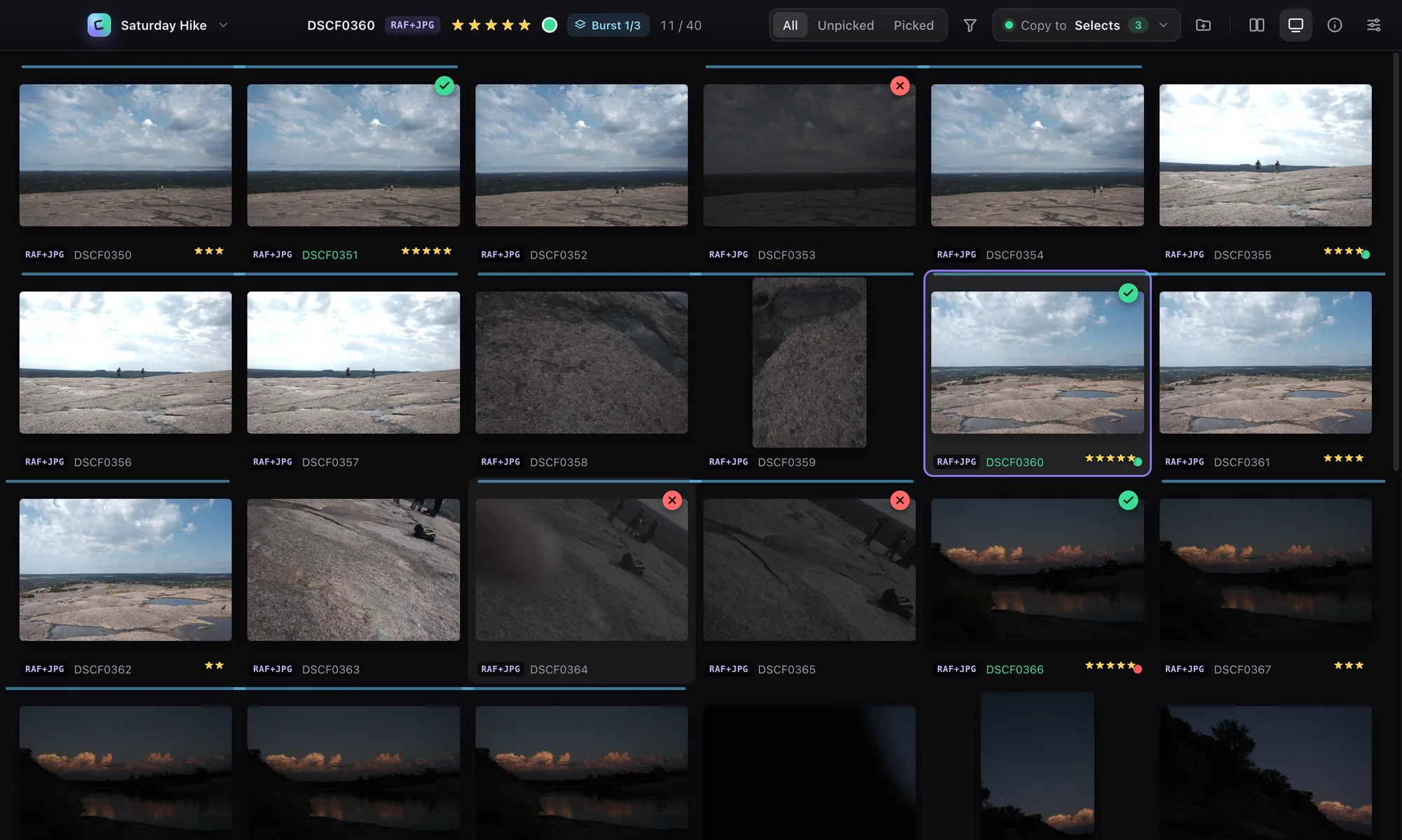
Pick the sharpest frame of every burst.
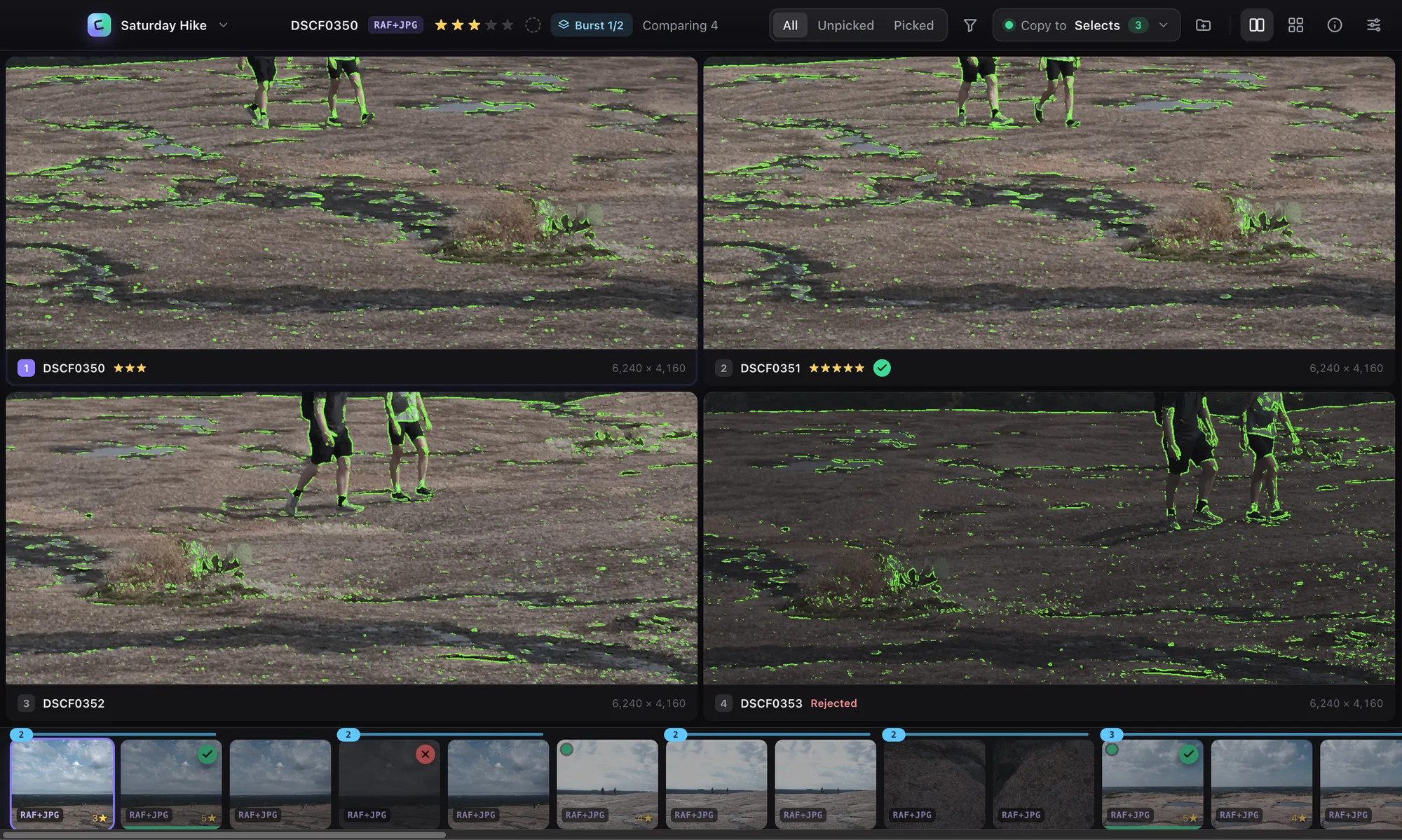
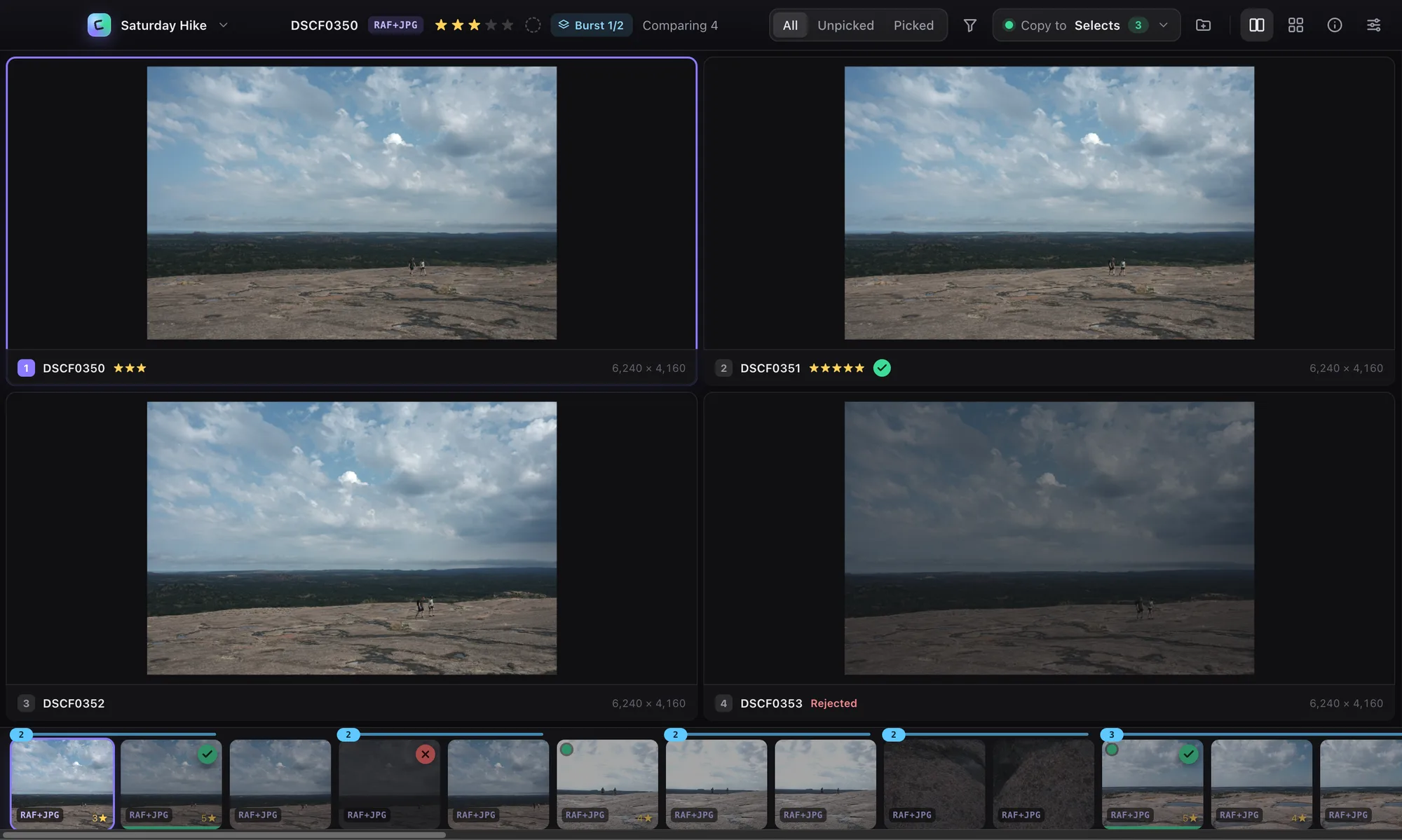
CullApp groups bursts automatically. Press N to see up to four frames side by side, zoom one and they all zoom together, then turn on focus peaking to see exactly which frame nailed it.
- Synced zoom and pan across 2–4 photos
- Focus peaking K and clipping warnings J
- Jump burst to burst with ⌥→
One key to pick. Ratings Lightroom understands.
Press C and the photo — RAW, JPEG and sidecar — is copied to your selects folder. Create a new folder without leaving the app. Stars, rejects and color labels are saved as standard XMP sidecars, so they're already there when you import into Lightroom, Bridge or Capture One.
- Ratings 1–5, reject X, labels 6–9
- Undo anything with ⌘Z
- Never overwrites — your originals stay untouched
Keyboard first
Every action has a key. Hold an arrow and fly through a card.
Filters that matter
Unpicked, picked, minimum stars, label, rejects — then trash every reject at once.
Private by design
No account, no cloud, no tracking. Your photos never leave your computer.
Safe on SD cards
Copies keep original timestamps and never overwrite. Read-only cards just work.
Your default viewer
Set CullApp to open RAWs on double-click — it loads the whole folder.
Mac & Windows
Native builds for Apple Silicon, Intel Macs and Windows 10/11.
Simple pricing
Try everything free for 14 days. Buy once and it's yours.
- Every feature and RAW format
- All 1.x updates included
- Use on up to 3 of your computers
- macOS and Windows
- 30-day money-back guarantee
Download CullApp
Free for 14 days — no account or card needed.
Requires macOS 12 or later, or Windows 10 or later.
Questions
Does CullApp edit photos?
No — it's built for the step before editing. Pick and rate fast in CullApp, then edit your keepers in Lightroom, Capture One or anything else.
How do my picks get into Lightroom?
Two ways, and you can use both. Press C to copy picks into a folder and import just that folder. Or rate with stars, labels and rejects — they're written to standard XMP sidecars that Lightroom reads on import.
Will it change my original files?
Never. CullApp only copies files and writes small .xmp sidecars next to them when you rate (you can turn that off). Moving a photo to the Trash always asks first.
Which cameras are supported?
Practically all of them: Fujifilm RAF, Canon CR3/CR2, Nikon NEF, Sony ARW, Panasonic RW2, OM System/Olympus ORF, Pentax PEF, DNG from Leica, Ricoh and phones, Hasselblad 3FR, Phase One IIQ and more.
Is this a subscription?
No. $59 once, including every 1.x update. If there's ever a 2.0, upgrading will be optional.
How many computers can I use it on?
Up to three of your own computers. Moving to a new one? Deactivate the old one from the License window or your customer portal.
What if it's not for me?
Email us within 30 days of purchase for a full refund.